WinSpirit Field Notes
WinSpirit Mobile Browser and PWA
 Available in US
WinSpirit presents its international casino catalogue through a mobile web interface, with a home-screen format described in its progressive web app (PWA) instructions. That gives two related ways to understand the product: a browser-rendered site and a shortcut that makes the same web service easier to recognise on a device. The distinction concerns presentation and device behaviour, not different rules for money, identity or game outcomes.
A smartphone adds another layer to a casino interface. A small screen can compress game controls, a mobile data connection can interrupt a stream, and a device used by several people creates privacy questions. Understanding these conditions matters as much as recognising the familiar categories in WinSpirit’s worldwide lobby. The practical limits of browser shortcuts, session controls and device security apply to the mobile product irrespective of screen size.

Managing mobile screen time
Small-screen browsing can make a series of casino rounds feel like an extension of ordinary phone use. Notifications, a familiar unlock gesture and quick switches between applications remove the physical cues that normally mark the start and end of an activity. Those interface features are not evidence of financial safety. A person can still make repeated money decisions while spending only brief periods looking at the screen.
WinSpirit’s terms describe time-outs of 24 hours, 3 days, 7 days, 14 days and one month. They also describe a longer self-exclusion option, with a one-year period appearing in its responsible-gambling materials. A cooling-off interval temporarily interrupts participation; self-exclusion is a more substantial separation from gambling access. Neither is a method for recovering previous losses, and neither changes the mathematics of games already played.
Mobile operating systems provide an additional, separate layer of time-management features. Screen-time summaries and app or website limits can reveal how frequently a service takes a person’s attention. They work at device level, so they should not be confused with operator account restrictions. Changing phones, browsers or browser tabs may also change what a device-level dashboard records. For a serious effort to stop gambling, specialist support and account-level exclusion matter beyond the phone’s own reminders.
- Session length: time spent watching a table or a fast-round game can grow without an obvious end marker.
- Financial exposure: the amount risked depends on stakes and repeated rounds, not the size of the screen.
- Pauses: stepping away from a device does not automatically activate an operator cooling-off restriction.
- Support: the National Gambling Helpline on 1800 858 858 offers confidential help in Australia.
It is useful to distinguish a break from a device, a time-out requested under gambling terms and a formal self-exclusion. Each acts at a different level. The broader account conditions and player-control guide explains how identity checks and those restrictions fit into an account relationship, rather than a phone setting.
Android home-screen behaviour
WinSpirit describes a PWA home-screen route using Chrome on Android. A progressive web app is fundamentally web content presented with browser and operating-system support; the device can offer a shortcut or an app-like window when the site meets the relevant browser requirements. The appearance depends on the handset, Chrome version and installed browser features. A home-screen icon should therefore be read as a way of organising access to a web service, not as proof that software has been independently reviewed for safety.
On a conventional Android phone, Chrome’s browser menu is the place where the operating system exposes home-screen and install-related features for supported websites. Depending on the site’s configuration, the phone may create a conventional shortcut or place a browser-managed PWA entry alongside other home-screen icons. These are different technical presentations, although both may open the same online account interface. The distinction matters when considering what remains available without a network connection.
A shortcut can appear to launch instantly because its icon is local, but that says little about whether the remote website or a streamed casino game can function offline. Live tables need an active stream; balances, game sessions and identity services require up-to-date server interaction. A local icon does not turn an online casino into an offline application, cache a live-dealer session or guarantee that a request has reached the operator.
- Separate a home-screen entry from the actual website and account it opens.
- Understand that browser permissions, notifications and retained website data may still be managed through Android or Chrome settings.
- Consider whether the device is shared, whether the lock screen is protected and whether notifications expose sensitive activity.
- Remember that network interruptions can leave a page looking present even when information on the server has changed.
Android presentation also has a practical privacy consequence. The same icon might be visible to anyone who sees the home screen. Even where the web content requires a fresh login, a shortcut’s name and symbol can reveal a person’s browsing interests. That exposure is separate from any financial transaction, but it is still worth understanding when a device is shared with family members or colleagues.
Mobile browser navigation
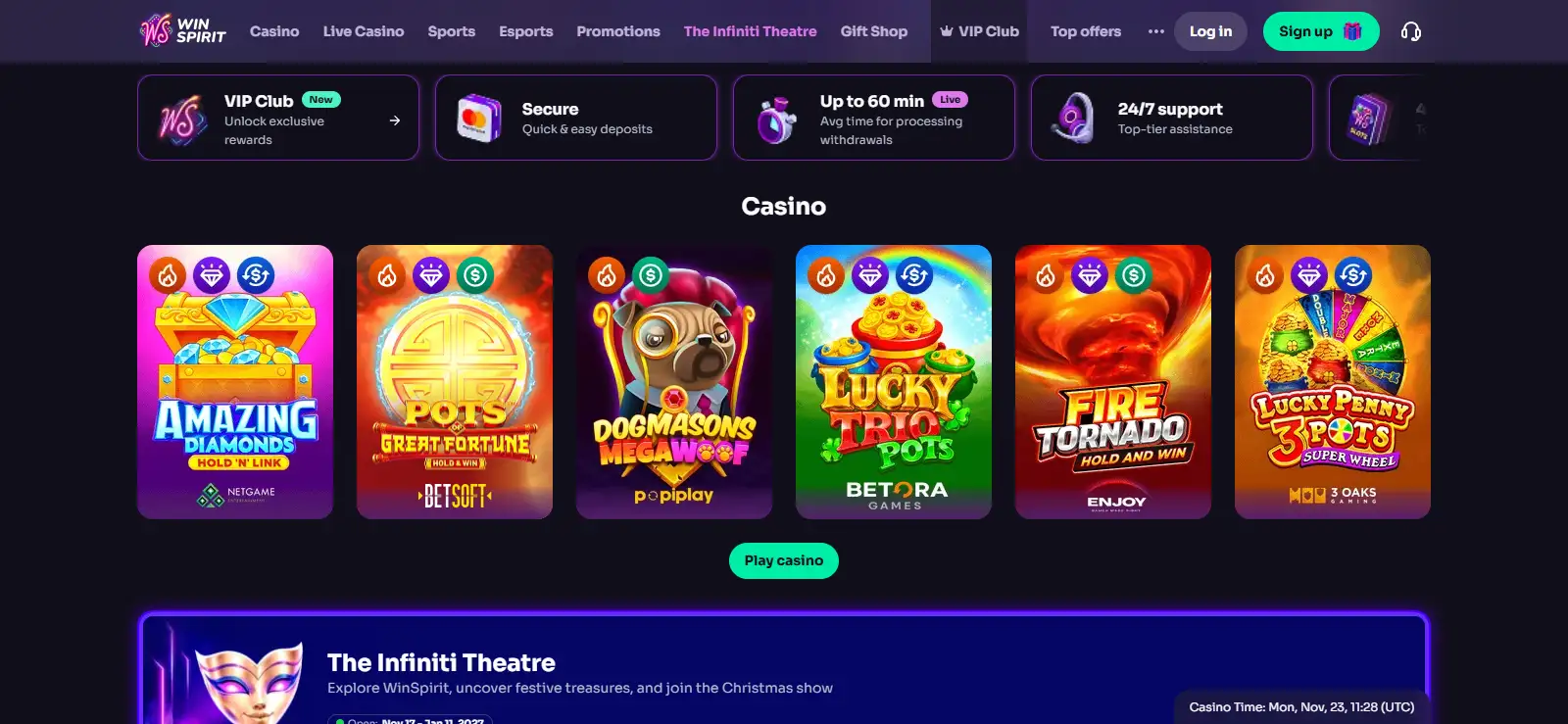
The WinSpirit worldwide lobby spans pokies, table games, live-dealer streams, crash titles and jackpot formats. On a phone, those categories have to compete for limited space with menus, search controls, game thumbnails and the browser’s own interface. The change in layout can affect how quickly a person notices a game’s paytable, accepted stake or stop control. The underlying rules of a title remain separate from the placement of those controls.
Touch interfaces also produce distinctive errors. An accidental tap may activate the wrong menu item; an on-screen keyboard can cover a balance field; a rapid sequence of taps can feel natural even when each action creates a new wager. Clear confirmation of an accepted action matters more than animation speed. The operator’s game controls, not the appearance of a button press, determine whether a particular round was recorded.
Live-dealer tables add video and timing. A stream uses more data than a text-heavy account page and can stall when the connection is weak. A delayed frame is not a reliable indicator that a betting window remains open. A game’s own round indicator, rules and recorded result carry more meaning than the smoothness of the video. Likewise, portrait and landscape views may expose different controls while describing the same wager.
The wider pokies and live-game catalogue brings out an important comparison: classic reels often permit many rounds in quick succession, while streamed tables may impose a broadcast rhythm. Neither interface speed nor slower pacing guarantees that an activity is affordable. Tracking repeated stakes and recognising feature-purchase mechanics remains relevant on mobile devices as it is on larger screens.
| Mobile format | Technical characteristic | Practical consideration |
|---|---|---|
| Browser page | Content runs in a normal browser tab. | Browser controls and other tabs remain part of navigation. |
| Home-screen web entry | A device icon opens website content. | The icon is not a separate account or transfer service. |
| Streamed live table | Video and round information arrive over a network. | Connection quality affects visibility, not betting rules. |
| Account view | Personal records and balances depend on server data. | Device privacy and session expiry remain important. |
Data costs are a further general consideration. Video streams can consume mobile bandwidth, and a change between mobile data and Wi-Fi may interrupt a session. Such behaviour reflects the network and device as well as the web service; it does not provide a basis for predicting how a particular game will settle a wager.
How iOS home-screen shortcuts work
WinSpirit’s published mobile instructions describe using Safari on an iPhone or iPad to place the web experience on the home screen. Safari’s sharing controls are the usual route by which iOS exposes an Add to Home Screen option for supported web content. The operating system may then display the website through a shortcut or a browser-managed web-app window, according to the site’s configuration and the device’s software version.
This arrangement differs in presentation from a normal browser tab. A home-screen entry can have its own icon and launch appearance, and supported web apps may occupy more of the screen. Yet the contents still depend on the website and any login session required by the operator. A browser-based shortcut does not create new withdrawal entitlements, alter the rules of a casino game or replace identity documents with device authentication.
Safari also has privacy and website-data controls at operating-system level. Removing an icon from a home screen and deleting stored website data are not necessarily the same operation. Website data can include browser-managed files and authentication state; the exact outcome of removing an entry depends on iOS and how that web content was stored. Closing an icon is therefore not a substitute for checking whether a sensitive session remains active on a shared device.
The key iOS distinction is between a launch surface and the account behind it. Face ID or a phone passcode protects access to a device under its settings; it does not mean a casino’s operator-side identity verification has been completed. Conversely, an operator’s completed KYC process does not make a lost handset secure. Device security and account identity are separate responsibilities.
On both Android and iOS, a home-screen presentation may be convenient for finding a website, but the website’s own activity rules remain the governing layer for games and accounts. That is why device gestures and browser installation vocabulary should not be confused with the contractual process of a financial transaction.
Protecting a shared or lost device
A phone combines several forms of identity: a physical device, a browser session, email or message access and sometimes a saved payment credential. Losing it can expose more than a single webpage. A person who obtains an unlocked handset may be able to read account-related notifications or navigate through open browser tabs. Protecting the screen with an appropriate lock is useful, but it addresses only part of that broader exposure.
Shared households raise another issue. WinSpirit’s account terms describe one-account restrictions involving personal and household details, devices and IP addresses. This is an account policy rather than a technical description of what a phone permits. A device can hold multiple browser profiles or be used by several individuals, while an operator may still examine whether its contractual account restrictions have been followed. A home-screen icon does not resolve those questions.
- Screen and account security: use device-level locks and avoid leaving private account pages visible to other users.
- Notifications: consider whether lock-screen previews reveal personal or financial activity.
- Shared browsers: understand which login sessions and autofill records can be accessed from a device.
- Lost devices: operating-system account tools can help manage the handset independently from the casino’s own account settings.
- Financial protection: a shorter session or a hidden icon is not equivalent to a gambling time-out or self-exclusion.
The broader difference is one of scope. Device protections reduce the chance of someone else accessing personal information, while gambling controls deal with the person’s ability to continue risking money. A browser’s lock icon and a protective gaming restriction address different problems. Neither should be treated as a replacement for the other.
Mobile presentation also does not remove the importance of a transaction history. Payment receipts, balance changes and operator communications are account records rather than phone-specific features. If a dispute ever arises, a clear record can help explain what occurred even when the original handset is unavailable. Sensitive records should be stored with the same care as identity documents.
Mobile browsing questions
Does WinSpirit have a mobile-browser interface?
Yes. WinSpirit presents a mobile-browser interface for its worldwide game catalogue and account navigation.
What does PWA mean for a home-screen shortcut?
A progressive web app is a website presented through browser-supported installation features. A home-screen shortcut does not create a separate casino account.
How are Android and iOS home-screen behaviours different?
The WinSpirit PWA instructions describe Android installation through Chrome and iOS home-screen use through Safari. The browser and operating system determine how a shortcut is presented.
Does a home-screen shortcut change account verification?
No. A shortcut changes how a website is opened; WinSpirit account identity checks and withdrawal conditions remain part of the account service.
Browser shortcuts inherit session and security risks
WinSpirit’s international mobile presentation is a website-led product, with browser navigation and a PWA home-screen route described for Chrome on Android and Safari on iOS. Those options change how the interface is opened and displayed. They do not change the stakes of a game, the conditions tied to an account or the need to protect sensitive records.
The strongest practical distinction is between screen convenience and substantive control. A compact lobby, an accessible icon or a smoothly playing video may alter the feel of a session, while financial exposure still depends on the games and repeated decisions underneath. Account-level time-outs, self-exclusion and device privacy settings provide different types of protection. Understanding which layer does what is more useful than treating a home-screen shortcut as a new form of casino service.
Read next
- Full overview
- Payment formats
- Cashout conditions
Created by the ”Winspirit” editorial team.